Skip to content
Article

Slow page speed is killing your business. Here’s how to fix it.

Page speed is a critical element of a revenue-generating website, but it’s sometimes overlooked and can be a challenge to fix. In this post, gain an understanding of why it’s worth the investment to improve page speed as we breakdown 6 key factors to share with your development team that will get you closer to improving your page load.

The 6 key factors to improving page load are:

  1. Reduce the number of third-party scripts
  2. Caching and minification
  3. Optimize images
  4. Lazy load images
  5. Serve content from a Content Delivery Network (CDN)
  6. Remedy redirect chains

How important is page speed?

As a general rule of thumb: the faster your website loads, the better the user experience. But do you know how many opportunities you are missing out on with slow page load time?

Load time exceeding 2 seconds increases the exit rate.

First of all, Google ran a study and found that 53% of mobile ad clicks immediately exited when load times exceeded 3 seconds. And people’s standards for speed have only increased over the years. In fact, 47% of consumers expect a page to load in 2 seconds or less.

Faster page speed means higher rankings.

Google takes user preferences into account with its ranking algorithm. Therefore, they favor pages with fast performance.

Google’s Webmaster blog confirmed the importance of speed in a July 2018 announcement:

“Today we’re announcing that starting in July 2018, page speed will be a ranking factor for mobile searches… We encourage developers to think broadly about how performance affects a user’s experience of their page and to consider a variety of user experience metrics.”

Furthermore, recent studies by Hubspot, Backlinko, and Optinmonster each listed site speed as a top-ranking factor for Google (both mobile and desktop).

What happened when Atlantic BT tested page speed factors?

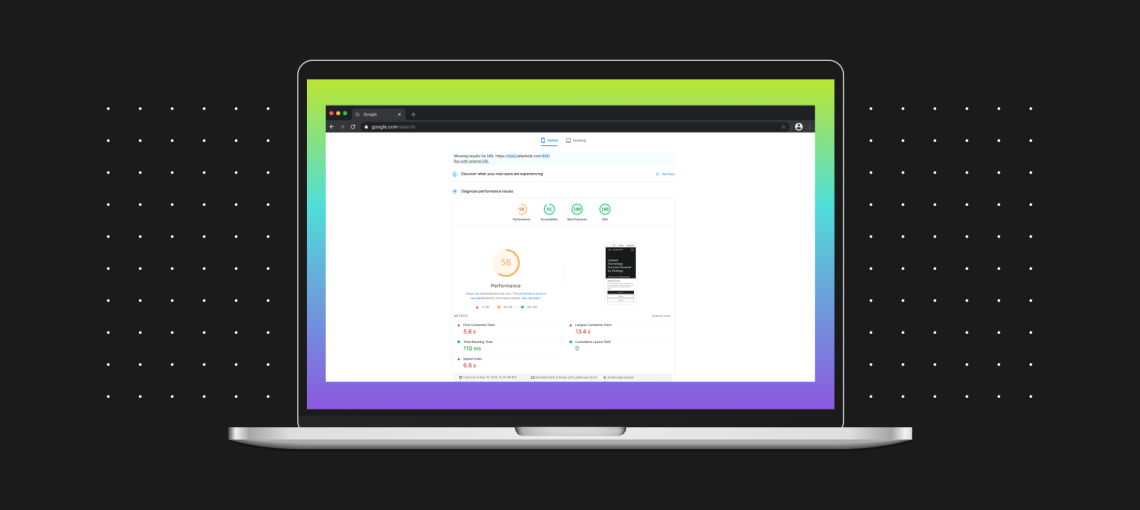
When we noticed a decrease in organic performance on Atlantic BT’s own website, we decided to perform a technical SEO audit to diagnose the issue. We found that our page speed was not up to par using Lighthouse and GTMetrix, free tools that provide detailed reports on your site performance. Between these two tools, our Front-End Development team compiled a list of changes to make to our website.

We tested speed with and without these factors, isolating variables to determine the most effective items and their impact on speed scores.

Atlantic BT’s Page Speed Audit Checklist:

We found a handful of items to be the most impactful on page speed. Take a look at the top 6 factors to increase website performance, and be sure to share with your development team!

1. Reduce the number of third-party scripts:

We found third-party scripts to have the largest effect on slow load times. These scripts include HotJar, Google Tag Manager, the Facebook pixel, and any other JavaScript you use to track ad campaigns and web-behavior.

If a third-party script doesn’t add clear value to your site, remove it. For example, pause Google Tag Manager scripts that aren’t being actively used to track campaigns. Similarly, tools like Hotjar can often provide useful data with limited use – run it long enough to gather the data you need, then be sure to disable it. Then, optimize the loading process for the scripts you decide to keep.

2. Caching and minification:

There are many tools and services for JavaScript and CSS file compression such as Uglify JS, YUI Compressor, Minify, and Node-Minify.

Likewise, you can use a service for caching. Depending on how your website is built, you can try some of these options:

  • WordPress: Atlantic BT uses W3 Total Cache plugin on our WordPress website.
  • Drupal: Visit their wiki to find a partial list of the top used modules for improving performance and scalability.
  • Magento: Varnish is integrated into Magento 2.x by default and only requires a few configuration changes to get started.
  • .NET frameworks: The .NET framework offers various classes for caching along with custom classes to extend caching.

You can use a JavaScipt build system like Webpack to compile and compress your site’s custom JavaScript and CSS. Some other highly used JavaScript build tools/task runners are Gulp and Grunt. All of these can be used in any CMS or non-CMS site.

3. Optimize images:

If your website is on WordPress, you have access to several plugins that will easily optimize images. Atlantic BT currently uses EWWW Image Optimizer. We can bulk optimize and auto-generate .webp images for all custom WordPress image sizes. We then serve .webp images with a fallback to a png or jpg format.

If you aren’t in WordPress, this free API is supported by many CMS, platforms, and tools.

4. Lazy load images:

To improve page load time, try lazy loading images. The latest chrome supports native lazy loading via an attribute in, for example: <img src=”“path/to/img/img.jpg”” />.

While Atlantic BT uses Vanilla Lazyload NPM for our website, Google’s developer blog also provides solutions for lazy loading.

5. Serve content from a Content Delivery Network (CDN):

With a CDN, instead of having a single server handle traffic, bandwidth spans across multiple servers. Serving content from a CDN will both create a faster experience for users and prevent downtime during traffic spikes. Many of Atlantic BT’s client websites use Amazon Cloudfront as their CDN.

6. Remedy redirect chains:

A redirect chain is when a single webpage is redirected repeatedly. These can creep up after many 301 redirect rules are written in the .htaccess file over time, especially between several people or teams.

You can scan your site with a tool like MOZ to see what pages have multiple redirects. Then, clean up rules in the htaccess file and/or reduce the number of redirect rules by using regex where applicable.

How page speed impacted Atlantic BT’s website

Atlantic BT found that implementing these changes was well worth the effort! After deploying page speed updates in early October, we quickly noticed an uptick in organic traffic.

From September to November, organic traffic increased by 18%. Better still, our website conversion rate increased by 60%.

Even after deploying these changes, we continue to look for ways to improve our site speed and enhance UX.

Need help increasing page speed?

Atlantic BT is happy to share page speed tips with you. We offer page speed audits and can implement any recommendations to get your website back on track. Reach out if you’re interested in learning more about our web development solutions.

Ready to get started? Get in Touch for a Free Consultation

Application Development

Our custom web application development and management services cover the entire software lifecycle, from concept to development and onward.
Read more about Application Development

The Atlantic BT Manifesto

The Ultimate Guide To Planning A Complex Web Project

Insights

Atlantic BT's Insights

We’re sharing the latest concepts in tech, design, and software development. Learn more about our findings.

Questions & Answers

What are some common web accessibility issues?

If you have a software application or website, it is likely that there are accessibility issues that need to be addressed. Some of the most common issues we come across during an audit include: 

  • Poor Alternative Text: Images that lack or have improper alternative text create barriers for people using screen readers. 
  • Missing Keyboard Navigation: All links must be accessible and in a logical sequence via keyboard navigation for users with motor impairments. 
  • Improper Heading Structure: Headings must use proper HTML heading tags (<h1>, <h2>). This allows screen reader users to navigate the page. 
  • Insufficient Color Contrast: Text that does not have sufficient contrast with its background creates readability issues for users with low vision.

Learn More about What are some common web accessibility issues?
What is WCAG vs ADA?

ADA is the law enforcing accessibility compliance and WCAG are the guidelines that are used to standardize accessibility across digital interfaces. 

WCAG (Web Content Accessibility Guidelines) is the set of web accessibility standards created by the World Wide Web Consortium). When you run an accessibility on your application or website, you are checking against WCAG 2.2 level AA guidelines. 

On the other hand, the ADA (Americans with Disabilities Act) are the laws that prohibit discrimination against individuals with disabilities.

Learn More about What is WCAG vs ADA?
How to make a website accessible?

To ensure a website is accessible, it is important to follow WCAG 2.2 level AA standards. To make your website compliant, follow these steps:

Automated Audit: To do this, you must first audit your website with an automated accessibility checker that can scan your entire website for accessibility errors. 

Manual Audit: Next, you must run a manual accessibility scan using screen readers, keyboard only navigation and zoom tools. This is best done with an accessibility expert. 

Remediation: Developers and team members will then need to fix every error that came up during the scan and manual audit. 

Quarterly Efforts: Accessibility is now one and done. It takes continual efforts and quarterly automated and manual audits to remain compliant.

Learn More about How to make a website accessible?
What are the legal requirements for web accessibility?

If your website is not accessible then you risk legal liability. Certain organizations are under more scrutiny than others such as government agencies, eCommerce sites, banks, and any business open to the public. The law requires these sites to follow WCAG 2.1 level AA guidelines. 

The following laws require web content to be accessible:

  • The ADA Title II: Title II prohibits discrimination against people with disabilities in all services, programs and activities of state and local governments. 
  • The ADA Title III: Title III prohibits discrimination against people with disabilities by businesses open to the public.
  • Section 508 of the Rehabilitation Act: This is an amendment requiring federal agencies to ensure their Information and Communication Technology (ICT) is accessible to people with disabilities.

Learn More about What are the legal requirements for web accessibility?
How long does a VPAT take to complete?

A standard VPAT takes anywhere from 2 to 6 weeks to complete, depending on the size of the software application, the number of distinct user flows, and whether a comprehensive accessibility audit has already been conducted.

The timeline is divided into distinct execution phases required to generate an accurate, legally defensible report:

  • Initial Accessibility Auditing (1 – 3 Weeks): Before writing the VPAT, engineers and compliance specialists must thoroughly test the software. This involves deploying automated scanning tools, performing comprehensive manual code reviews, and conducting screen-reader testing across standard user flows to catalog all compliance gaps.
  • VPAT Report Generation (1 – 2 Weeks): Once testing data is finalized, accessibility experts map the technical findings directly to the required compliance template (such as WCAG 2.2 or Section 508). Every individual criteria line must be populated with a formal conformance level and detailed technical remarks.
  • Remediation & Re-testing Buffer (Optional: 2 – 6 Weeks): If the initial audit often uncovers critical accessibility barriers that would disqualify the product in an enterprise procurement process. The next step is to remediate the code. A quick re-test is then performed to ensure the final published VPAT reflects a highly accessible product.

Learn More about How long does a VPAT take to complete?
How often should a VPAT be updated?

A VPAT should be updated annually or immediately following any major product release, significant UI/UX redesign, or core feature update that alters the software's user interface or functionality.

Because accessibility compliance is a continuous state rather than a static milestone, keeping your VPAT current requires a proactive cadence aligned with your software development lifecycle (SDLC).

Learn More about How often should a VPAT be updated?
Does a VPAT guarantee 100% compliance?

No, a VPAT does not guarantee 100% accessibility compliance; rather, it is a transparent disclosure document that accurately details your software's current level of alignment with accessibility standards like WCAG 2.2 or Section 508.

Enterprise buyers look for an honest, technically accurate assessment that mitigates their legal risk through a standardized evaluation structure:

  • A Disclosure Document, Not a Certification: There is no official governing body that issues a "VPAT Certificate" of 100% compliance. A VPAT uses standardized criteria (Supports, Partially Supports, Does Not Support, or Not Applicable) to state your platform's exact technical accessibility status at a specific point in time.
  • Demonstrating a Roadmap for Remediation: Most software applications have some accessibility gaps. A strong, credible VPAT uses the "Remarks and Explanations" column to acknowledge these flaws and outline a clear roadmap for how and when those bugs will be remediated.
  • Empowering Enterprise Procurement Decisions: Large corporations and government entities use your VPAT to evaluate whether your accessibility gaps have safe workarounds for disabled employees, allowing them to calculate their own operational and legal risks before purchasing.

Learn More about Does a VPAT guarantee 100% compliance?